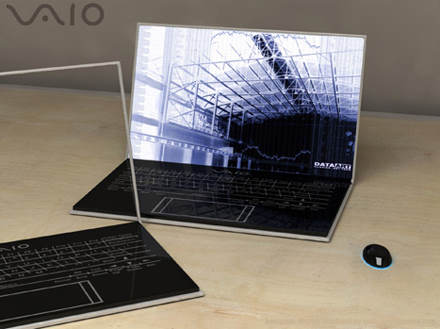
If the notebook in a state of wet and dirty atmosphere flood affected, do not ever turn on (Power-on) let alone using electrical plugs. This situation will actually worsen Notebook. because it causes short-circuit on its
electronic components. Should immediately remove the cover to the place dry, discard all remaining atmosphere and the dirt path that linger with a clean cloth.
Next is to remove battere, then clean and mengeringkanya. If it looks dirty, clean with a soft cloth with a bit of atmosphere and rub gently. Beware of pole-pole plus-minus battere (usually of shiny yellow metal at the bottom / side of the body battere). Clean this section until dry. If it is dry you should not be installed battere back first to the Notebook.
Notebook basking under the sun, and put in a position to move inside the atmosphere could be right out. After dried in the sun until dry, can be sprayed with a hair dryer (hair dryer) to the inside of the cover can be reached. Spray dilubang others, such as speakers, port-connector, powe, keyboards and so on. Be careful not to position Hair-dryer too close so as not to damage the components.
Battere can also dijemu in the sun, but should be wrapped in a cloth first. Battere type of lithium (Li-Ion) are very sensitive to the thermal environment which can make its chemical structure is damaged and at risk of exploding. Should be dried to 1-3 hours. After itudapat inserted into the refrigerator (still wrapped in cloth), and do not memaskan into frezeer. Cold temperatures for several hours can restore the ability battere.
If you are familiar with the technical stuff, we can open cassis (body) cover to remove the main device (such as Processor, Hard Disk, Motherboard, RAM, etc.) to ensure everything is not damaged. Aritektur cover has a fairly simple system, composed of various modules are connected using labeling and cable connectors. To remember, because the components are usually small and delicate cover, an extra treatment needed careful.
Prepare toolset such as plus-minus screwdriver small and medium-sized, better if it has Ampere Meter. Turn the notebook, and all the nuts off the bottom so that the framework can be open (usually HDD, RAM Optical Drive located at the bottom). Memorize the location of the nut so that at the time of re-Symbian installation is not misplaced. Search carefully all the bolts are not yet open, and separate all the components that have been opened.
Notice all the existing cables and connectors. Do not get lost or damaged. Inijuga including existing circuit contained in the motherboard that should not be scratched or scuffed.
Components that pale susceptible to damage is a mechanical device such as Hard Disk and Optical Disc (CD / DVD), If you are able to open a second device, directly separate and dry the same as the above step.
Go all out off the cover and the maximum component that can be done. Separate all the equipment, then dry in the sun again until dry and occasionally sprayed with a hair-dryer. Once everything is dry measuring all components with Ampere Meter by connecting the connector to the device. If the number is still good is indicated, it means that components can be reused. Do not forget to do a contrast against battere well.
Replace all components carefully to positions semuladibagian on the notebook. Tighten all bautlalu spray after returning with a hair-dryer to make sure everything has dried, attach the original place battere.
We recommend using electricity to make the first contrast
, assuming battere have experienced the power vacuum. Do not immediately turned on, let battere absorb electrical energy for about an hour.
After that dislodged the power cord, then turn on as usual. If the cover display as usual, go into the BIOS menu by pressing the DEL or F12 (depending on the type of notebook). Check all information is correct BIOS tools, and do the necessary environment such as date, boot priority, and so on. If you do not understand, can do strange environment like its original condition when purchased. This option is certainly available dimenu BIOS.
If the cover does not turn on properly, it means that there are components that suffered severe damage. None other than pailihan replace them with new ones. We can call the businessman / play a lot of cover available. We can only hope that the damage is not too much and on key components such as processors and motherboards are worth quite expensive.
To avoid damaging the notebook, pale good attitude is to take some remedial action, namely menyelamatkanya before it flooded. But tragedy sometimes just happen and we need to take certain steps so that losses are not too large. It required extra activity as described above. Good luck, Good Luck





 This laptop is made by Fujitsu with the type of paper display that is flexible, super light even looks like the office folder.